Quick Links
As the industry continues to grow year after year, it has become more common for developers to implement features that make experiences more accessible to various demographics of players.Fortnitehas hopped on this trend, introducing gameplay and display settings intended to let their audience play the game in the most comfortable manner possible.
One of the most helpful accessibility options Epic has added is the ability to display in-game footsteps on the game’s HUD. Originally designed as a resource for deaf players or those hard of hearing, the feature has been adopted by many even outside its original target demographic.

How To Turn On Footsteps
Turning on footsteps in Fortnite is an incredibly easy process. After booting the game, navigate to the settings menu. Here, toggle to the right until you reach the Audio settings.
Once inside Audio, navigate down until you see the Sound subheading.There will be an option to visualize sound effects. Switch this to “on”.

Make sure to apply your changes; this is a separate button press and is required for the setting to go into effect.
How Visualizing Sound Effects Works In-Game
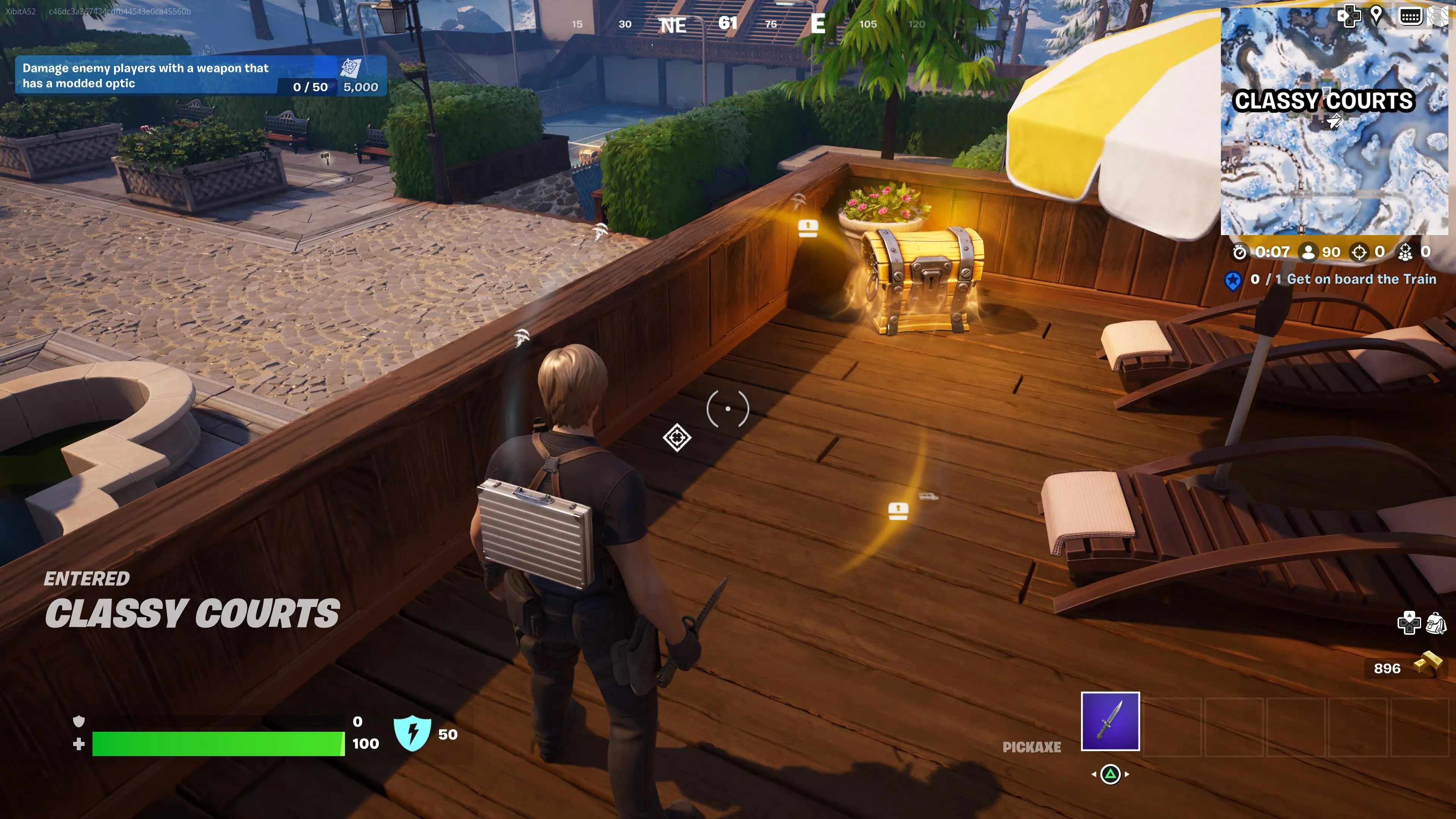
After enabling visual sound effects,footsteps will now be displayed on a radial wheel at the middle of the screen. You will be able to see which direction they are coming from in correlation to your position (left and right being to your left and right, up being in front of you, and down being behind you).
However, you will also notice that footsteps are not the only sound effects displayed on your radial.Other common in-game sounds will litter your screen, including gun fire, vehicles, and chests. The icons' size will grow as you get closer to them and shrink as you get further away.
Why Visualizing Sound Effects Is Useful
The most obvious reason for turning on visual sound effects isif you have hearing difficulties. It will allow you to maintain a competitive level of play against others, since you will have the same level of situational awareness as everyone else.
Visual sound effects can be a good setting to enable even if you aren’t worried about your hearing ability.It can give you a tactical edge over players who have it turned off, allowing you to more easily identify the location of a loot chest or enemy gunfire with positional directions displayed on your screen.
It can also be enabled fora more relaxed play session. If you want to blast music or catch up on some podcasts, visual sound effects can keep you informed on what’s happening in the game while you listen to something else.
