Quick Links
InWarhammer 40,000: Rogue Trader, you will take to the Koronus Expanse. Here, you can explore, form a party, and make a name for yourself. While this CRPG is great to play alone, you can also play with friends, but it takes a bit of setting up to get started.
In this guide, we are going to take a look at how to play with friends in Warhammer 40,000: Rogue Trader. This will include setting up a multiplayer lobby and joining existing lobbies, as well as how party management is set up with more than one person.

How To Start Cooperative Mode
To play with friends, you will first need to head to the’Cooperative Mode' menu,which can be found in thelower left-hand corner of the main menu.The first time you select this option, the following info panel will appear, explaining what you should do.
While this provides some helpful information, we are going to dive a bit deeper into these steps.

How To Create A Lobby
To create a lobby, simplyselect this option from the Cooperative Mode menu.From here, you should be brought to the screen shown above. Here, you can see yourself, as well asslots for five other players.At the top of the screen, you can see theID used to join the lobby, as well as a spot for the save file.
In order to play a multiplayer game,you will need to choose an existing save file.This means that you cannot start a brand-new game with a group of friends.

To finish setting up the lobby, you will need toselect a save file and then have some friends join the lobby.This can be done by pressing the ‘+’ anddirectly inviting them. Additionally, you may alsoshare the lobby ID,allowing friends to use it and join the lobby.
How To Join An Existing Lobby
If a lobby is already set up,you will either need to be invited or use the lobby ID.Joining directly can be done with the Steam overlay, which means thatyou can only join someone’s game if you are friends.
Alternatively, you can have your friend share the lobby ID and join with this.

Choosing A Save File
Above, we mentioned that you will need tochoose a save file in order to play in cooperative mode.This can be any save that you have for the game, but it’s important to note that if it’s a save from early on in the game,your friend(s) will not be able to play as a character.
Instead of joining the game with their own existing character,friends will play as one of your party members.For example, if it’s just you and Abelard in the game (this happens in the prologue), your friend will take over as this party member.
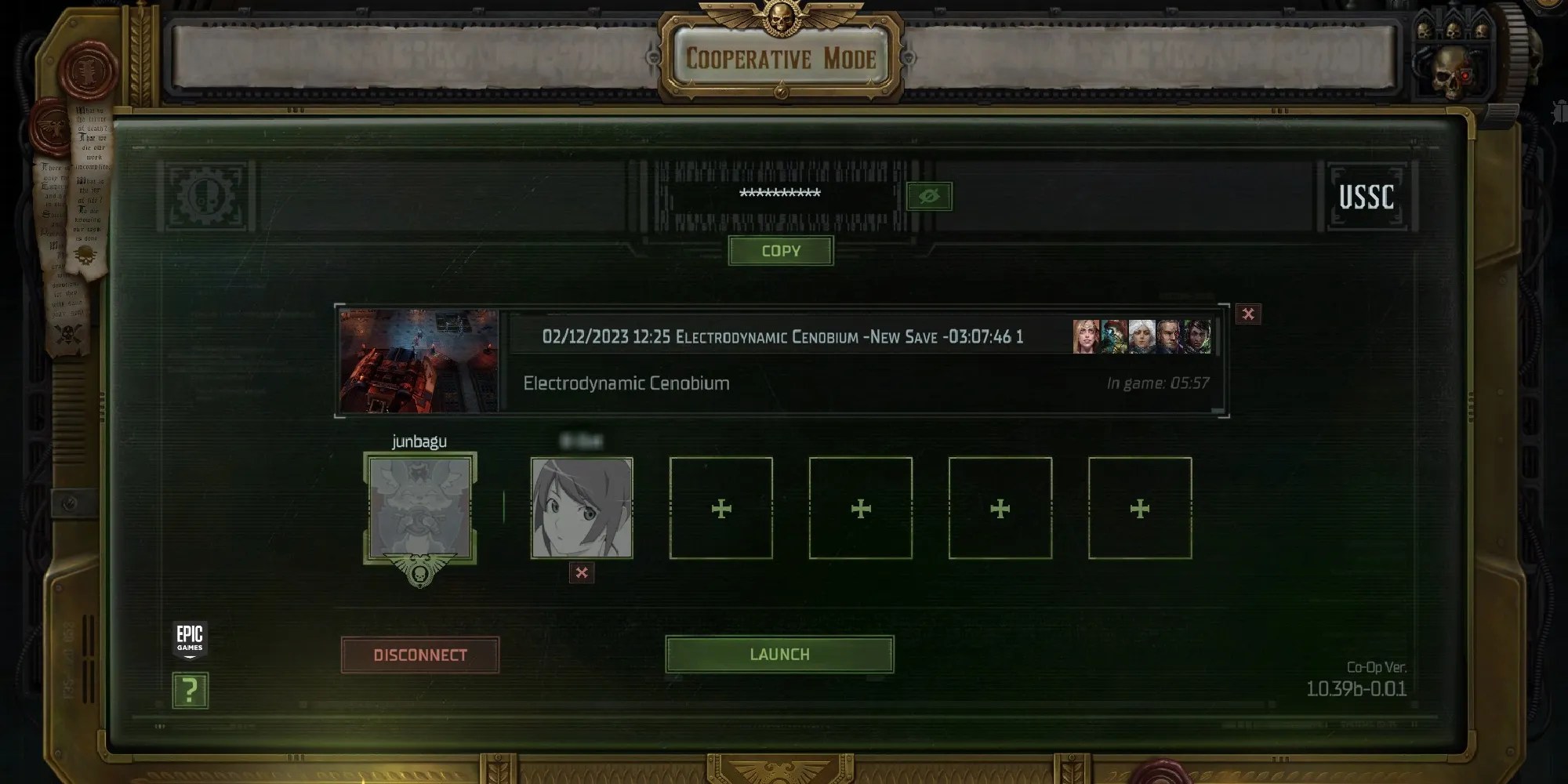
We suggestchoosing a save file that matches the amount of people you want to play with.If not, they will end up speculating the game.
How To Choose Playable Characters
Once the game begins, the creator of the lobby will be able todesignate which characters each player controls.Above, you can see that the lobby creator isplaying their own character, as well as Argenta and Idira.When these characters have a turn in battle, the lobby creator will choose their actions.
The other player will controlAbelard and Pasqal.They dictate what they do in combat, and canmove them around while exploring the map.

Simultaneous Co-op is available, but it istoggled off by default.This mode lets playersact at the same time in combat,rather than sticking to a turn-based system. Simultaneous combat takes a bit of planning, so it’s okay to leave it off.
